 UAE Dirham
 USD
USD

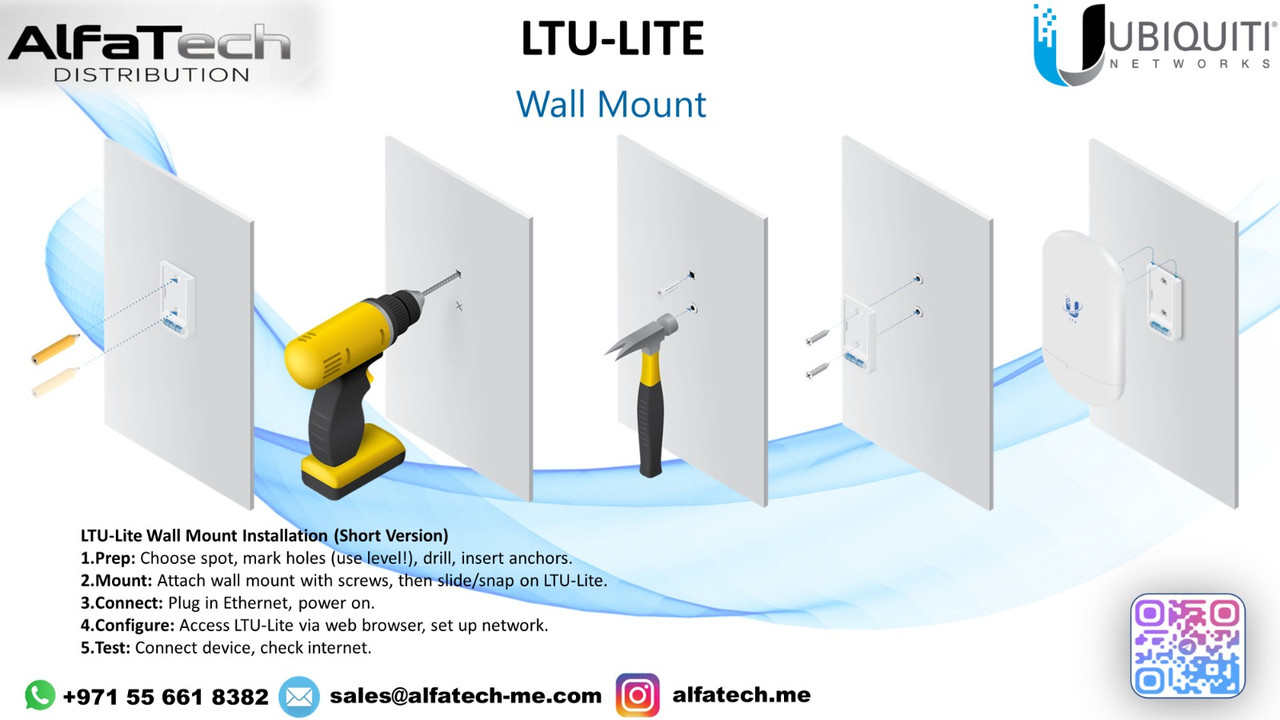
Installation Steps (Short Version)
1️⃣ Prep: Choose the mounting spot, mark holes (use a level!), drill, and insert anchors.
2️⃣ Mount: Attach the wall mount using screws, then slide/snap the LTU-Lite onto it.
3️⃣ Connect: Plug in the shielded Ethernet cable, then power on the device.
4️⃣ Configure: Access the LTU-Lite via web browser or UISP, then set up the network.
5️⃣ Test: Connect a device and check internet connectivity.
✅ Quick & Secure Installation for Reliable Connectivity! ?
Stay updated with our latest products, exclusive deals, and industry insights! Join our community on:
Telegram: https://t.me/alfatech
Facebook: https://www.facebook.com/alfatech.me
Instagram: https://www.instagram.com/alfatech.me/
WhatsApp: https://whatsapp.com/channel/0029VaHH5wbDJ6Gv1MvEG60C
Follow us now and be part of the AlfaTech network!