 UAE Dirham
 USD
USD

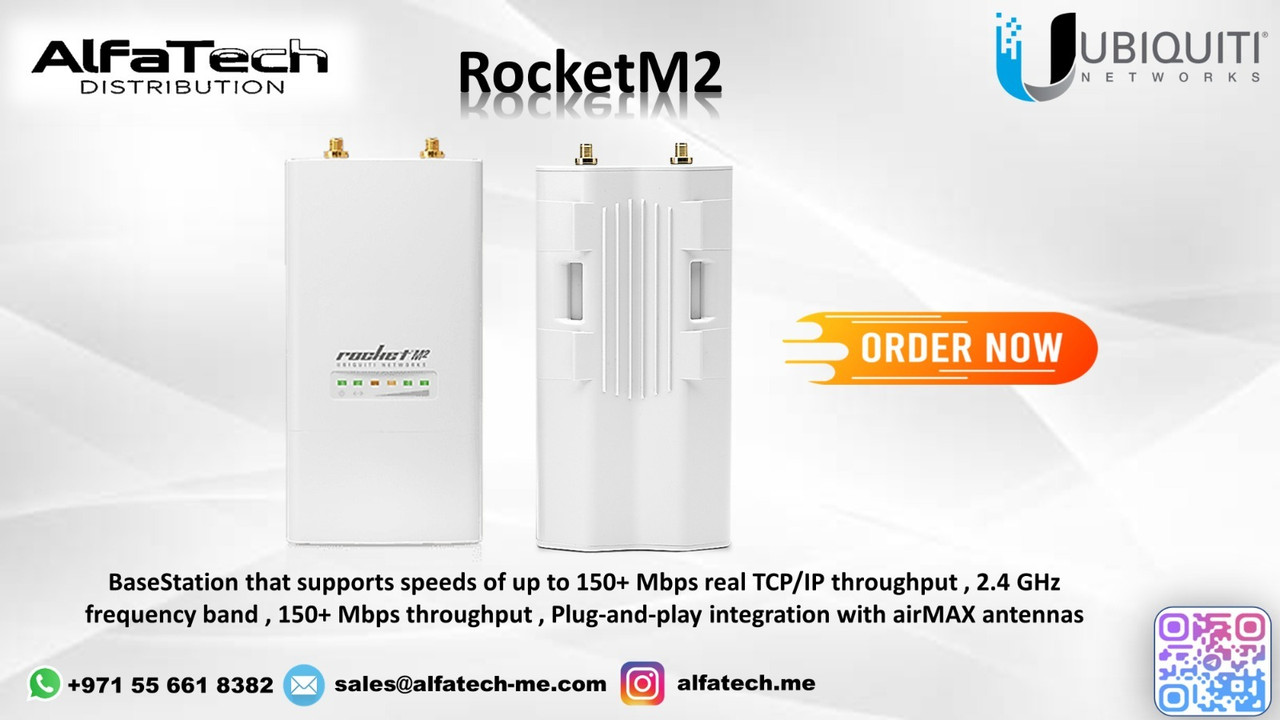
A rural community and a construction site faced challenges with poor wireless coverage, unreliable connectivity, and limited internet access due to the lack of wired infrastructure. They needed a long-range, high-power wireless solution to extend network coverage efficiently.
ALFA TECH’s Solution
To deliver stable and wide-area wireless connectivity, ALFA TECH deployed the Ubiquiti RocketM2, offering:
2.4 GHz High-Power Transmission – Ensures long-range coverage with robust signal strength.
MIMO Technology – Provides improved throughput and enhanced network capacity.
Seamless Integration with Sector and Omni Antennas – Supports various antenna types (e.g., Ubiquiti AM-2G15-120 for sector coverage).
Weather-Resistant Design – Built for harsh outdoor conditions with ruggedized casing.
Scalability for PtP and PtMP – Ideal for creating wide-area wireless distribution networks.
Simple Deployment with PoE Support – Reduces installation complexity.
By deploying RocketM2, ALFA TECH extended high-speed internet access across the rural area and construction site, providing seamless connectivity for multiple users.
Customer Satisfaction
After implementing the RocketM2, customers experienced:
Reliable long-range wireless connectivity for workstations and remote monitoring.
Seamless internet access for multiple users without performance drops.
Improved communication and real-time data access at the construction site.
Scalability for future expansion, ensuring continued network growth.
The RocketM2 delivered stable and high-capacity connectivity, allowing businesses and communities to stay connected without the need for expensive cabling.
Installation & Configuration Details
Installation Steps:
Mount the RocketM2 on a stable mast, tower, or pole.
Attach a compatible Ubiquiti antenna (e.g., sector, omni, or directional).
Connect to PoE power using a 24V PoE injector.
Align the antenna for optimal coverage.
Access the RocketM2 UI to configure SSID, security settings, and channel width.
Optimize signal strength and frequency selection to minimize interference.
Monitor performance using Ubiquiti’s AirOS interface.