 UAE Dirham
 USD
USD
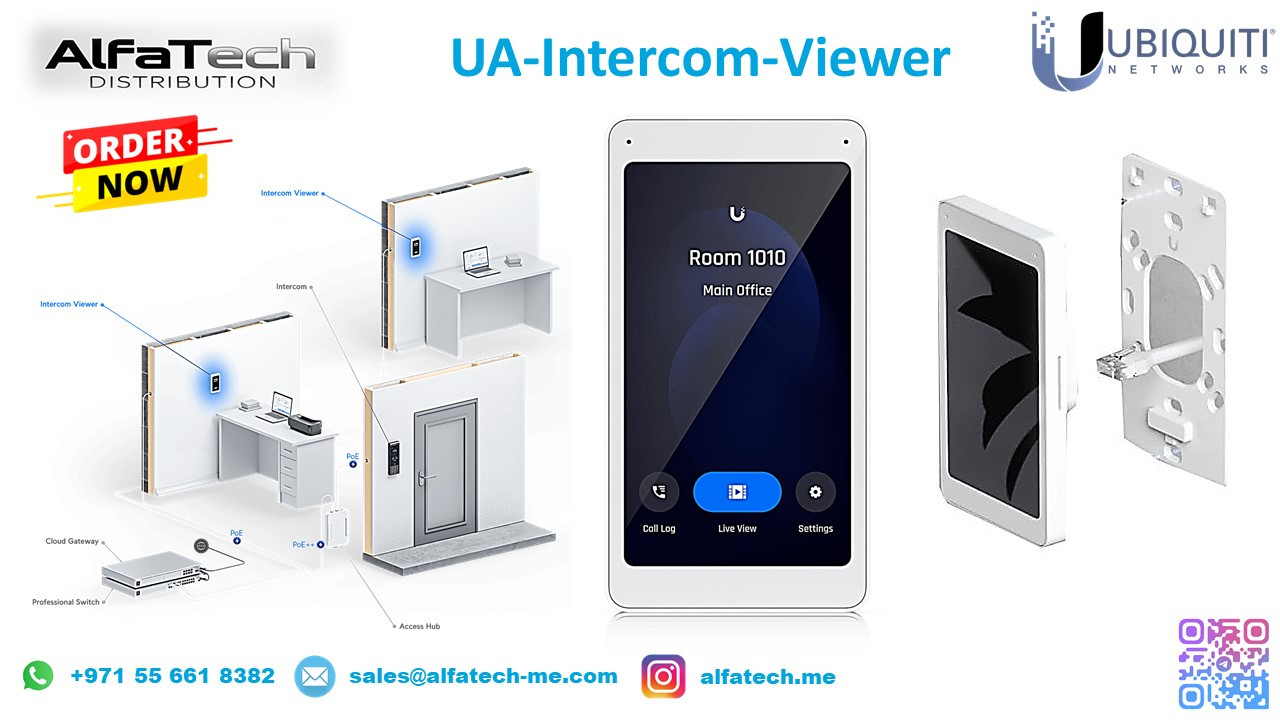
A corporate office and a high-security residential complex faced difficulties in managing visitor access and monitoring entry points effectively. The existing intercom system lacked remote access, real-time video communication, and seamless integration with their security network. They needed a smart, centralized, and secure access control solution.
ALFA TECH’s Solution
To address these challenges, ALFA TECH deployed the Ubiquiti UA-Intercom-Viewer, offering:
High-Resolution Video Intercom – Provides real-time video calls for secure visitor verification.
Seamless Integration with UA System – Works with Ubiquiti access control for a unified security solution.
Remote Access via UniFi Protect – Allows security teams and residents to view and interact with visitors from anywhere.
Touchscreen Interface – Offers a modern and intuitive user experience for quick operation.
PoE-Powered Connectivity – Ensures easy installation without additional power adapters.
Centralized Monitoring – Multiple intercoms can be managed from a single dashboard, improving efficiency.
With UA-Intercom-Viewer, ALFA TECH successfully improved visitor management, access control, and security monitoring for both the corporate and residential environments.
Customer Satisfaction
After implementing the UA-Intercom-Viewer, customers experienced:
Seamless and secure visitor verification with real-time video calls.
Improved security through remote monitoring and access control integration.
Reduced unauthorized access risks, providing better control over entry points.
Scalable security management, allowing easy expansion of intercom devices.
The UA-Intercom-Viewer transformed the way security teams and residents handle visitor access, delivering a modern and reliable intercom experience.
Installation & Configuration Details
Installation Steps:
Mount the UA-Intercom-Viewer at a secure and accessible location.
Connect via PoE using a Ubiquiti PoE switch or injector.
Link the device to UniFi Protect for centralized management.
Configure user access and permissions via the UniFi Access Controller.
Enable remote viewing and call notifications for security teams and authorized personnel.
Test the intercom functionality to ensure seamless operation.